
Fix Backlit Photos Online with AI
Bright window or sun leaving your subject in shadow? To fix backlit photos, upload one to improve dark faces, lift shadow detail, and balance portraits against bright backgrounds with AI.
Dra bildet hit, eller
Referansebilde (maks 50MB)




See How to Fix Backlit Photos
Explore planned examples that show how to fix backlit photos: portraits and people photographed against bright windows, open skies, and sunlight. Each comparison will show the original lighting problem and the adjusted result.


Fix a Dark Face in a Backlit Photo
See how to fix backlit photos in this planned before-and-after portrait: lifting the shadowed subject can make the face easier to see against a bright outdoor background.
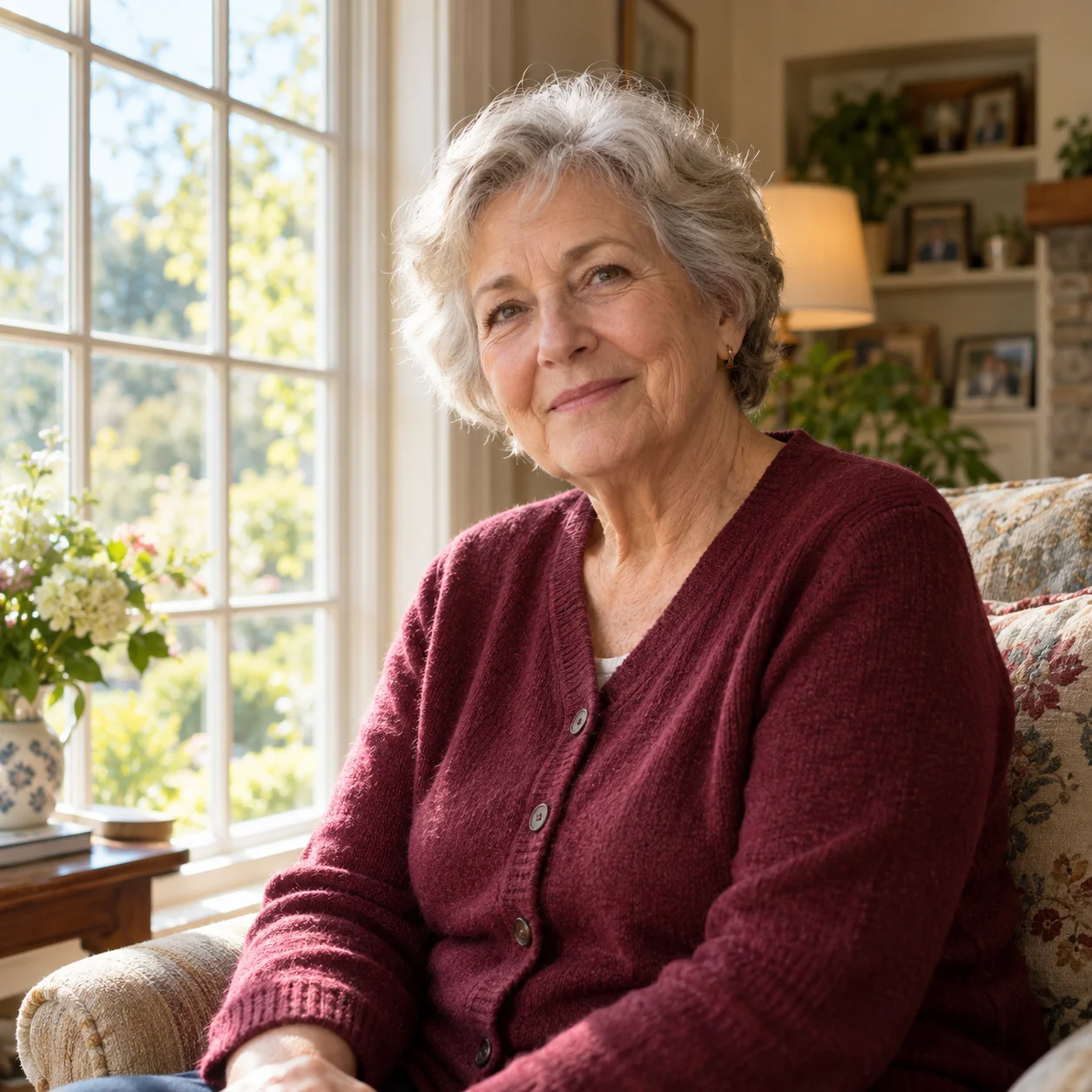
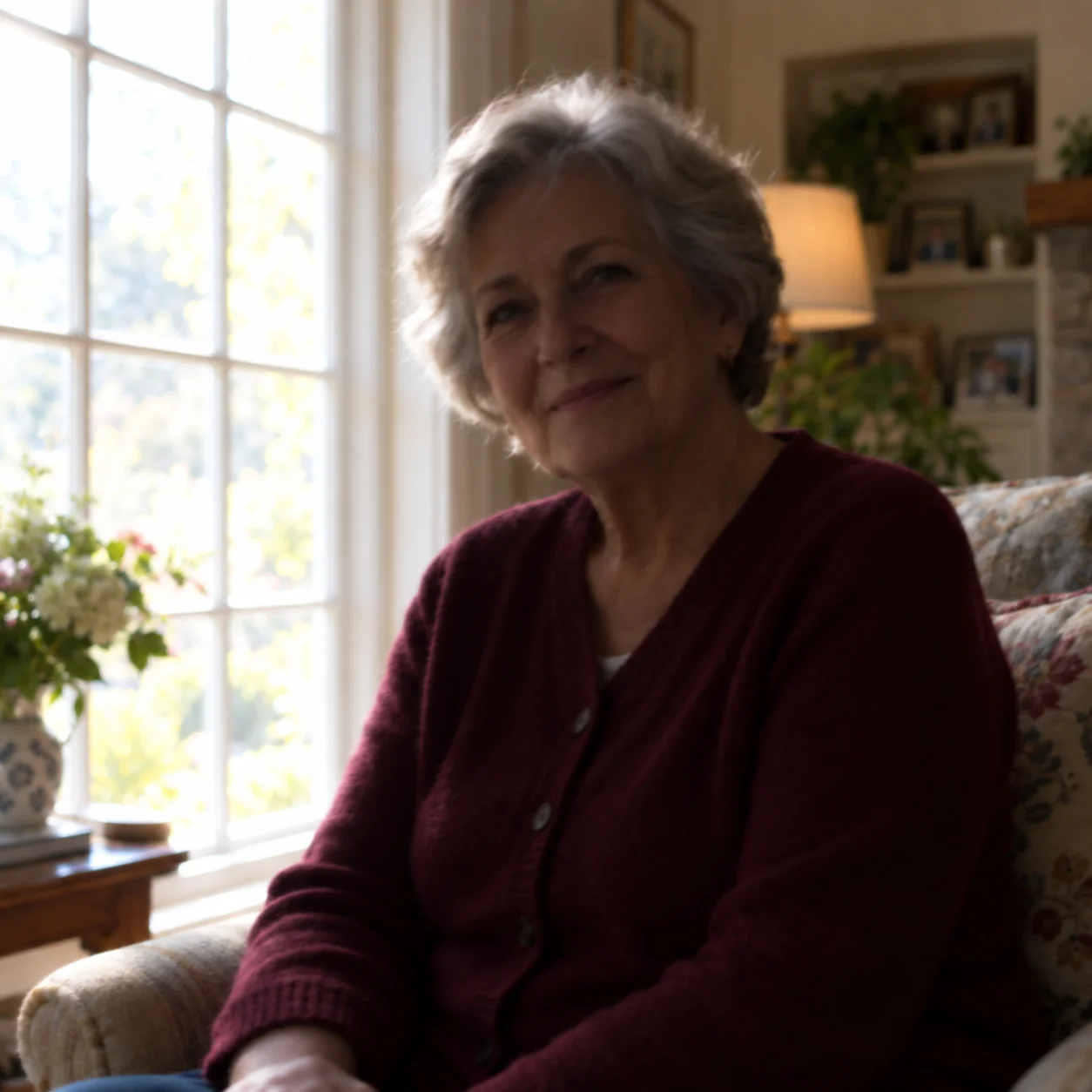
Brighten a Portrait Beside a Window
Use this planned window-light portrait comparison to fix backlit photos: the subject is underexposed while the window is bright. The adjustment aims to reveal more detail in the person without treating the whole frame as evenly lit.


Improve a Backlit Group Photo
Try this approach to fix backlit photos in a planned group-photo example: it shows the common bright-background, dark-foreground problem in sunset and travel photos. Results vary with the detail captured in each original image.
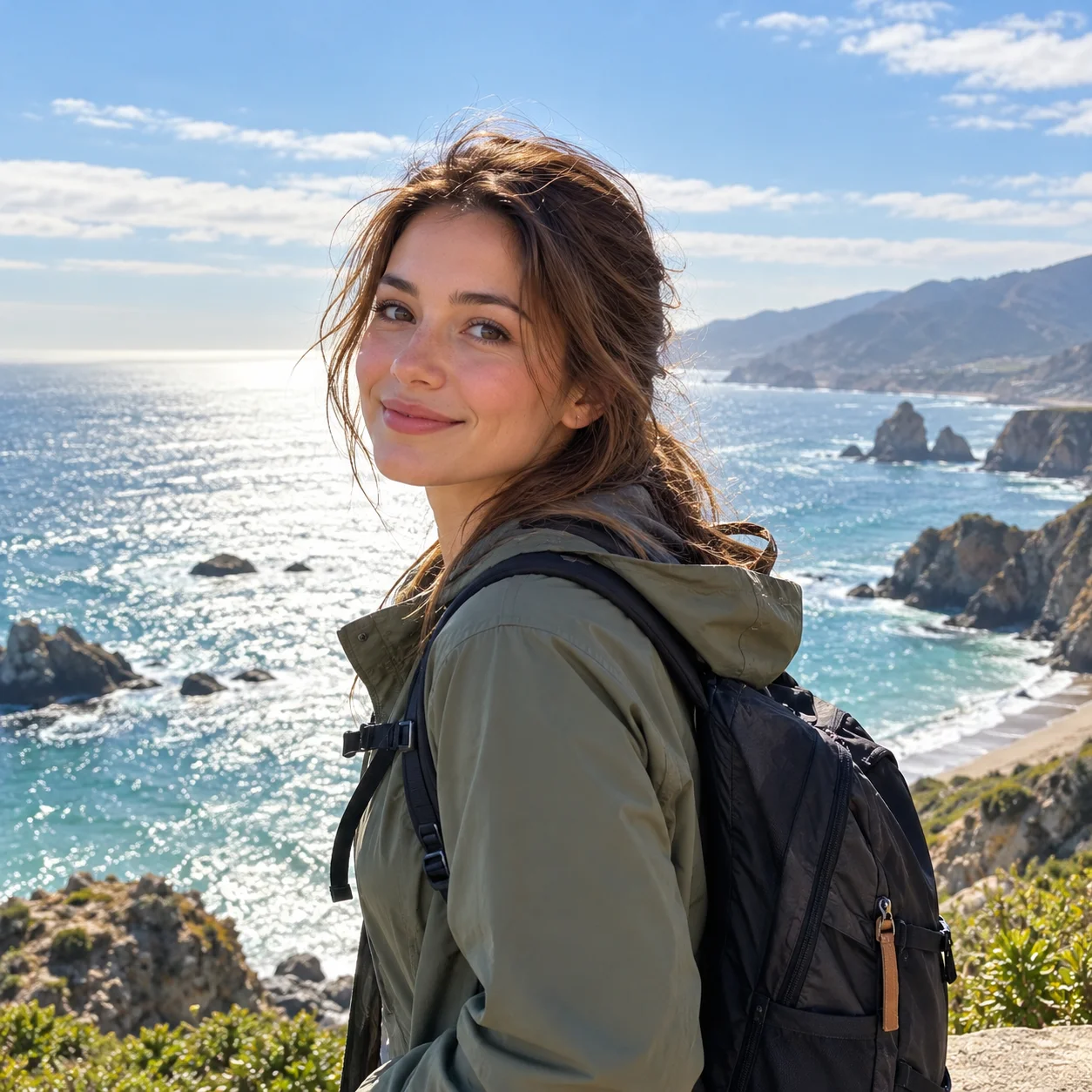
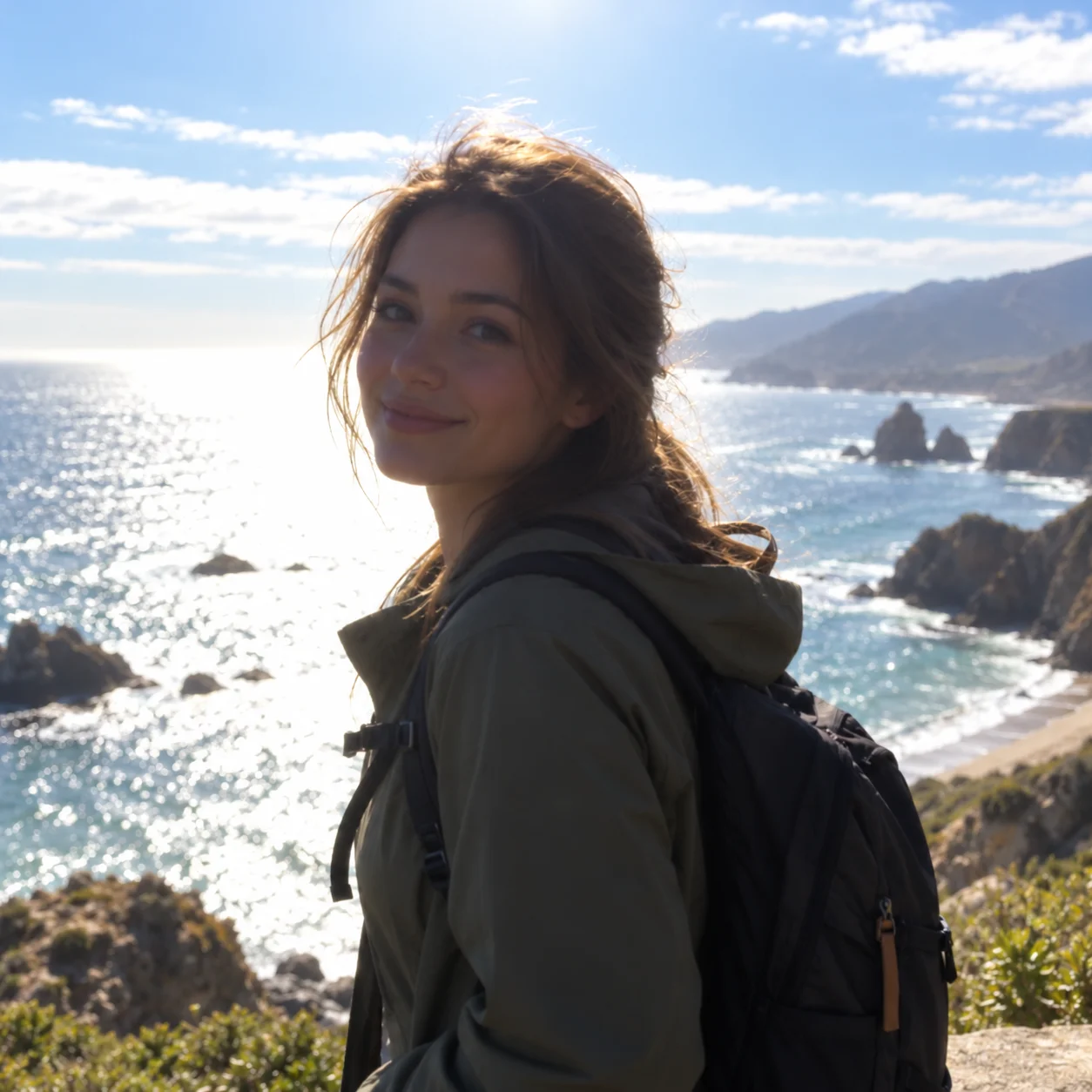
Correct Strong Sunlight Behind a Subject
A planned example for photos taken against strong sunlight. Compare how the subject's shadow detail changes after editing a backlit photo online.
What Makes a Backlit Photo Look Too Dark?
A backlit photo often has a bright sky, window, or sun behind the subject, leaving a face or foreground too dark. When you fix backlit photos, AI photo lighting correction can lift shadow detail and make the subject easier to see.
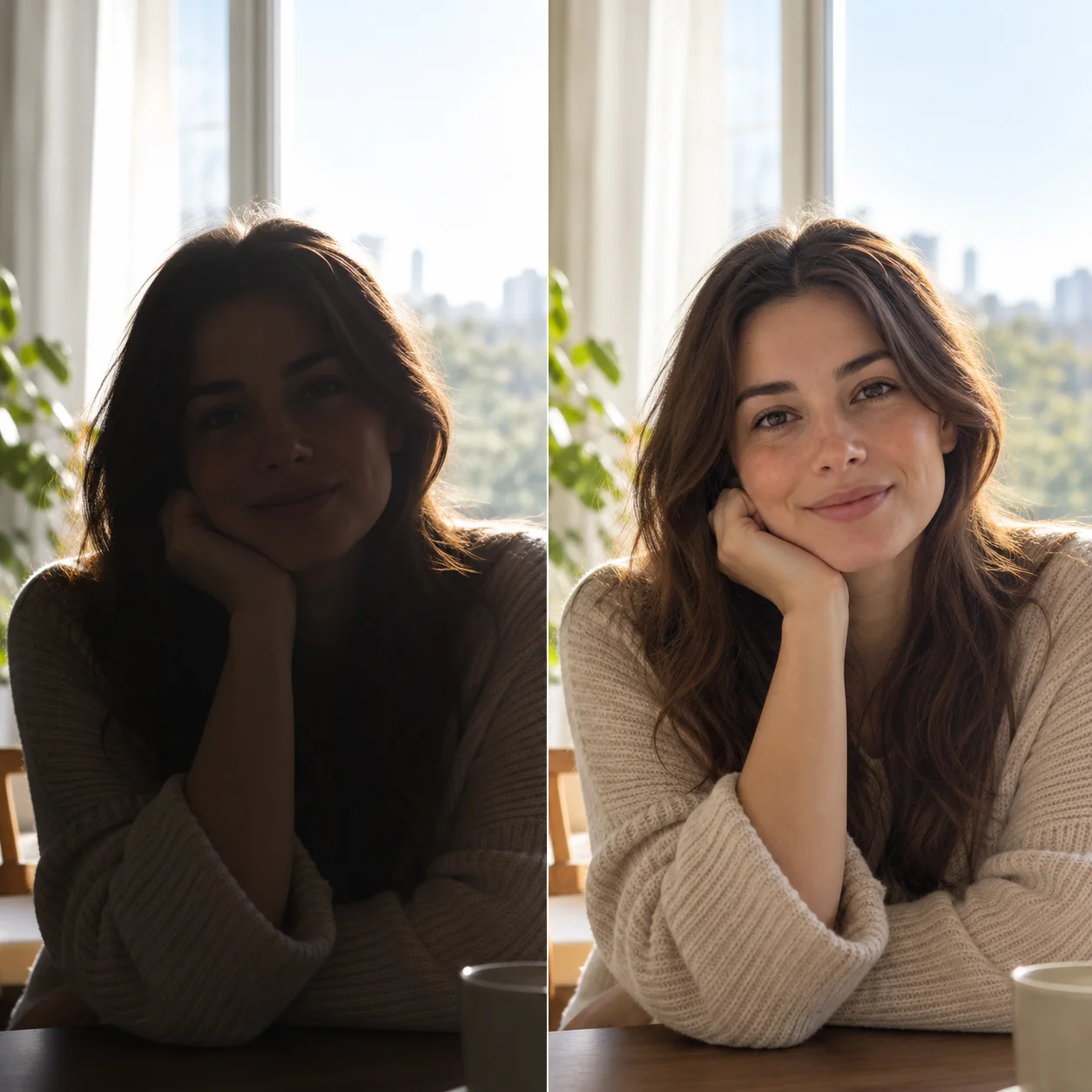
Bright Background, Dark Subject
When the camera exposes for a bright background, the person in front can appear as a silhouette. Fix backlit photos by improving the darker subject while retaining the scene's overall lighting.
Faces Lost in Backlight
Strong light from a window, sky, or the sun can leave faces underexposed. To fix backlit photos with a shadowed face, use more than a global brightness increase to make facial details easier to see.
Portraits, Groups, and Window-Light Photos
Backlighting can affect outdoor portraits, people photographed indoors near windows, group pictures, and travel photos. Upload a backlit photo to see whether this workflow can help fix backlit photos and improve shadow detail.
Lift Shadows Without Flattening the Scene
When you fix backlit photos, the aim is to make a dark subject more visible without making the entire image look flat. Results depend on the detail recorded in the original photo.
Why Use an AI Backlit Photo Editor?
If you want to fix backlit photos, remember that the camera has to handle a bright light source behind a darker subject. A quick global brightness increase can also brighten the background, so review the adjusted image before saving it.
How to Fix Backlit Photos in 4 Steps
See how to fix backlit photos online in a few steps. Upload your image, let AI adjust the lighting, compare the result, and download it if it looks right.
Upload a Backlit Photo
To fix backlit photos, choose a portrait, group photo, or outdoor image where a person or foreground subject looks too dark against a bright background.
Let AI Adjust the Lighting
The AI photo enhancement workflow analyzes your uploaded image and creates an adjusted result to help fix backlit photos. The amount of recoverable shadow detail depends on the original photo.
Compare the Photo
Use the before-and-after comparison as you fix backlit photos, reviewing the subject, face, and overall exposure before deciding whether the edited image works for you.
Save Your Adjusted Photo
Download the result if the backlight correction meets your needs. For photos with clipped highlights or very deep shadows, the original may limit how much detail can be recovered.
A Simple Way to Fix Backlit Photos
Use the online AI photo editor to fix backlit photos with dark subjects, then compare the adjusted image with the original before downloading.
AI Backlight Photo Correction
Use this correction to fix backlit photos by improving the visibility of a shadowed person or foreground. AI photo lighting correction can help balance a dark subject against a bright background.
Before-and-After Preview
After you fix backlit photos, compare the original and adjusted versions to review shadow detail, facial visibility, and overall exposure before downloading.
Check Color and Skin Tones
Review how color and skin tones appear after adjusting a backlit image. Results vary with the light and color information in the original photo.
For Portraits and Outdoor Photos
Try the workflow on an underexposed portrait or a photo taken against bright sunlight. Recoverable detail depends on the quality and exposure of the source image.
Preview Before You Save
Upload a backlit photo and review the available preview before deciding whether to save the result. Account, credit, and download requirements may apply to some actions.
Edit Backlit Photos Online
Fix backlit photos in the editor using a modern browser on desktop, tablet, or phone. Upload a supported image to start the correction workflow.
Fix Backlit Photos: Frequently Asked Questions
Learn how to fix backlit photos with the AI workflow, including dark faces, bright backgrounds, and photo editing limitations.
Ready to Fix a Backlit Photo?
Upload a photo with a shadowed subject and bright background. Preview the AI-adjusted lighting, compare it with the original, and save the result if it works for you.