
Remove JPEG Artifacts Online
Remove JPEG artifacts with AI - clean blocky compression, ringing, banding, mosquito noise, and smeared details from JPG images in seconds. Upload an image and preview the cleanup online.
Sleep hier een oude foto naartoe
JPG, PNG, WebP tot 50 MB


See What AI JPEG Cleanup Can Do
Compare before and after examples to see how AI cleanup can reduce visible JPEG compression artifacts while preserving natural image detail.


See AI JPEG Artifact Removal
See how AI can remove JPEG artifacts by cleaning blocky compression and noisy detail so the image looks clearer and easier to use.


Clean Compressed JPG Photos
Clean compressed portraits, social downloads, old web images, screenshots, and shared photos that picked up visible JPG damage.


Reduce Ringing and Banding
Reduce ringing, mosquito noise, banding, and smeared texture around edges, faces, text, and background detail.


Improve Images for Sharing
Prepare compressed images for publishing, sharing, archiving, product listings, presentations, or cleaner personal use.
What Does It Mean to Remove JPEG Artifacts?
Use AI to remove JPEG artifacts caused by heavy compression, repeated saving, old uploads, screenshots, messaging apps, and low-quality exports.
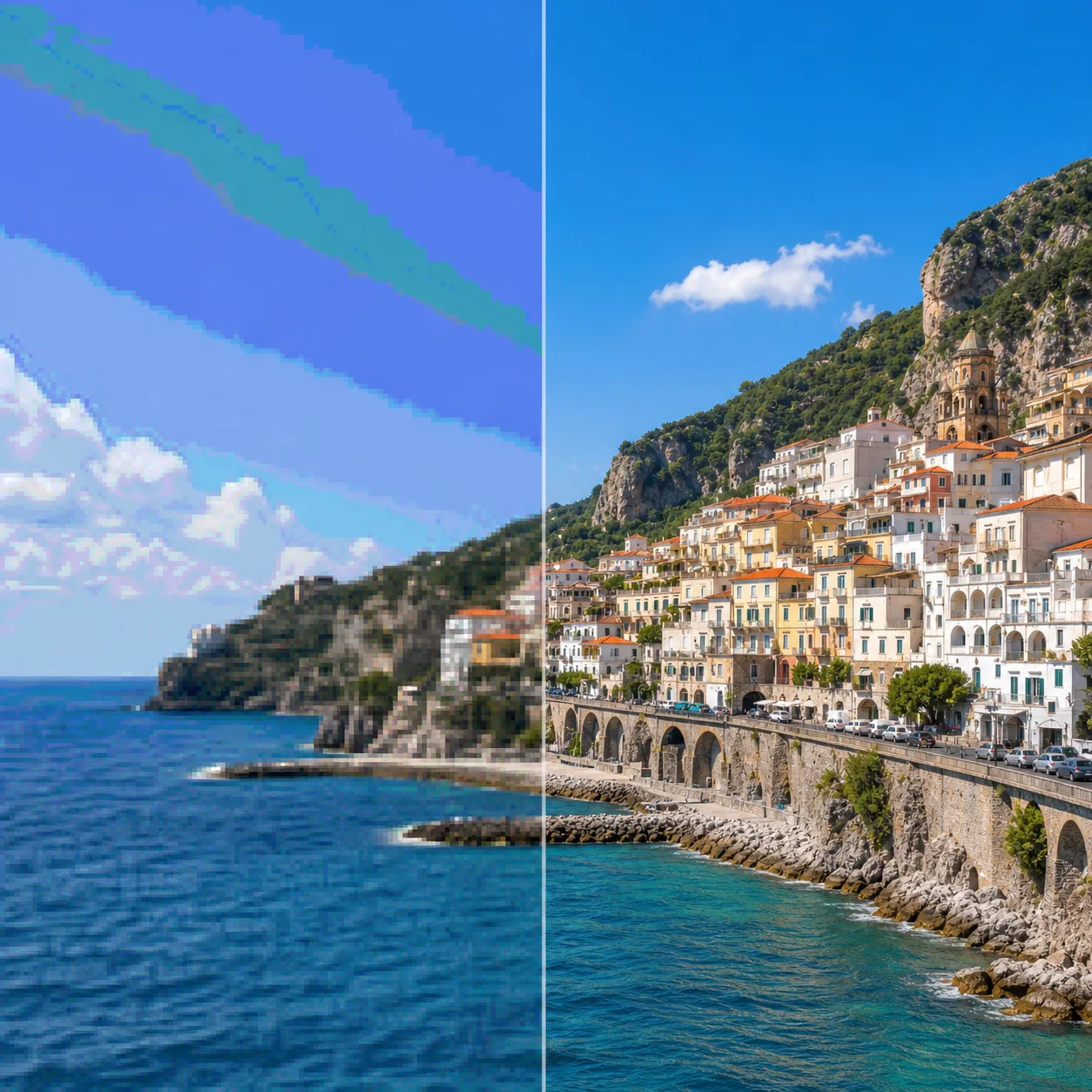
Reduce Blocky Compression
Clean blocky square artifacts that appear in flat areas, faces, backgrounds, and edges after a JPG has been compressed too heavily.
Clean Ringing and Mosquito Noise
Soften ringing and mosquito noise around text, outlines, hair, buildings, product edges, and other high-contrast image details.
Repair Banding and Smearing
Improve posterized gradients, banded skies, smeared textures, and low-detail areas without turning the whole image into an over-smoothed result.
Keep Details Natural
Preserve faces, edges, colors, and original composition while reducing visible JPEG compression artifacts for a cleaner final image.
Why Use AI to Remove JPEG Artifacts
AI can target compression damage across the whole image, so you can clean JPG artifacts online without masking, cloning, or manual retouching.
How to Remove JPEG Artifacts in 4 Steps
Use a simple 4-step workflow to remove JPEG artifacts online with AI. No advanced photo editing software or manual retouching needed.
Upload a Compressed Image
Upload a JPG, PNG, or WebP image with visible compression artifacts such as blockiness, ringing, banding, or smeared detail.
Let AI Analyze Artifacts
The AI checks the image for compression damage, noisy edges, low-detail areas, color banding, and other JPEG artifact patterns.
Preview the Cleanup
Compare the before-and-after preview to judge whether the cleanup looks natural before you continue or download the result.
Download the Clean Image
Save the improved image when the JPEG artifact removal result is ready for sharing, publishing, printing, or archiving.
Everything You Need to Remove JPEG Artifacts
A focused AI JPEG artifact remover for cleaning compressed images while keeping the original content, composition, and natural image detail intact.
AI JPEG Artifact Removal
Reduce blocky JPG compression, ringing, banding, mosquito noise, and smeared details with a single AI cleanup workflow.
Blockiness and Edge Cleanup
Clean square blocks and noisy halos around faces, text, objects, edges, product outlines, and high-contrast details.
Banding and Color Cleanup
Smooth harsh color banding and posterized gradients in skies, backgrounds, product photos, portraits, and old web images.
Natural Detail Recovery
Recover a cleaner-looking image after compression without pushing faces, textures, or backgrounds into an artificial over-sharpened look.
Try Before You Commit
Preview JPEG cleanup online before committing. Start with a compressed image and see whether the artifact removal looks right.
Works on Any Device
Remove JPEG artifacts from your phone, tablet, or desktop browser. No app download or software installation needed.
FAQ About JPEG Artifact Removal
Answers to common questions about using AI to remove JPEG artifacts online.
Clean JPEG Compression Artifacts Online
Use AI JPEG cleanup to reduce blockiness, ringing, banding, mosquito noise, and smeared texture while keeping the image natural and easy to share.