
Fix Pixelated Image Online — Free AI Fix Pixelated Image Tool
Fix pixelated image quality instantly with our free AI tool. Upload any low-resolution or pixelated photo and repair jagged edges, blocky textures, and compression artifacts in one click. No Photoshop, no software, no signup — just upload and fix pixelated image online now.
Drop an old photo here
JPG, PNG, WebP up to 50MB


Before & After: Fix Pixelated Image Results with AI
Each comparison below shows a real before-and-after result from our free AI fix pixelated image tool. See how the depixelator restores clarity, smooths jagged edges, and recovers fine detail from low-resolution photos — all processed in seconds. Every fix pixelated image example below was generated using the online workflow.


Fix Pixelated Image — AI Depixelate in One Click
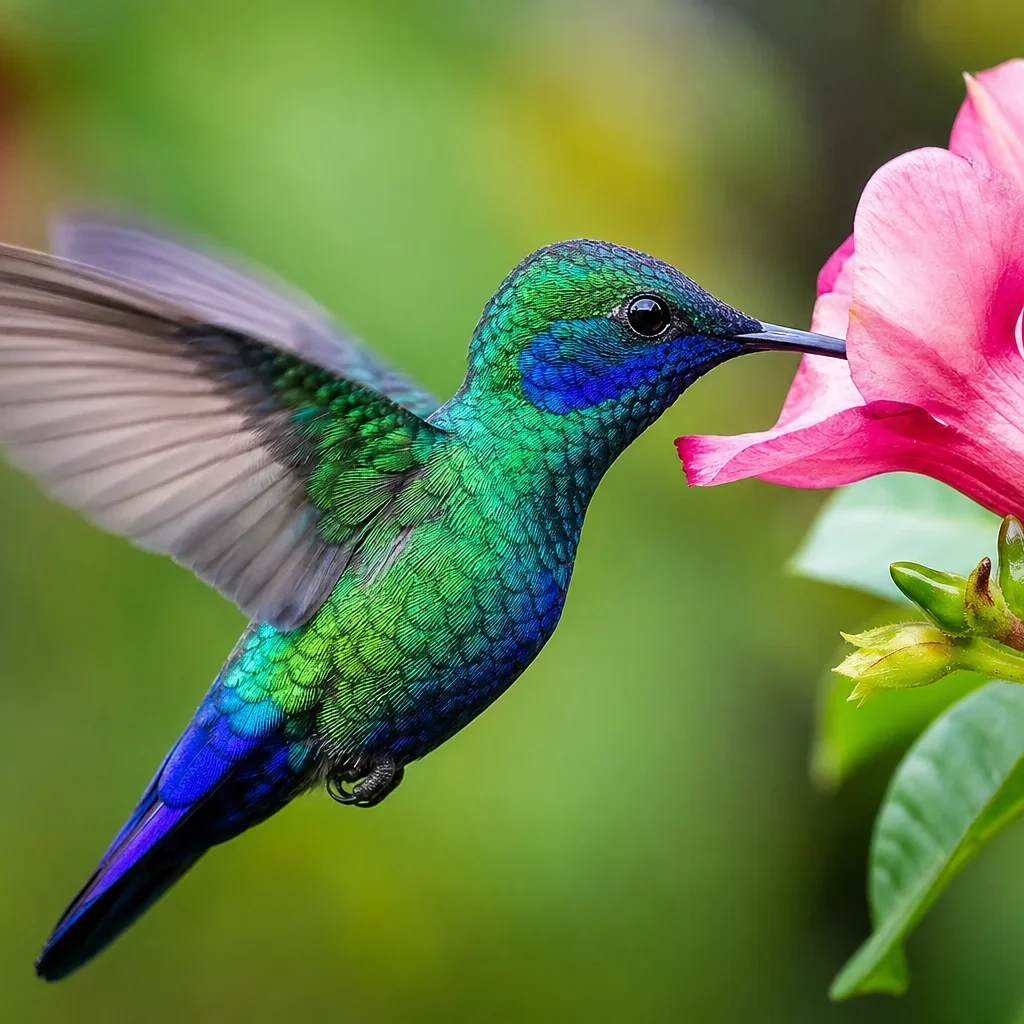
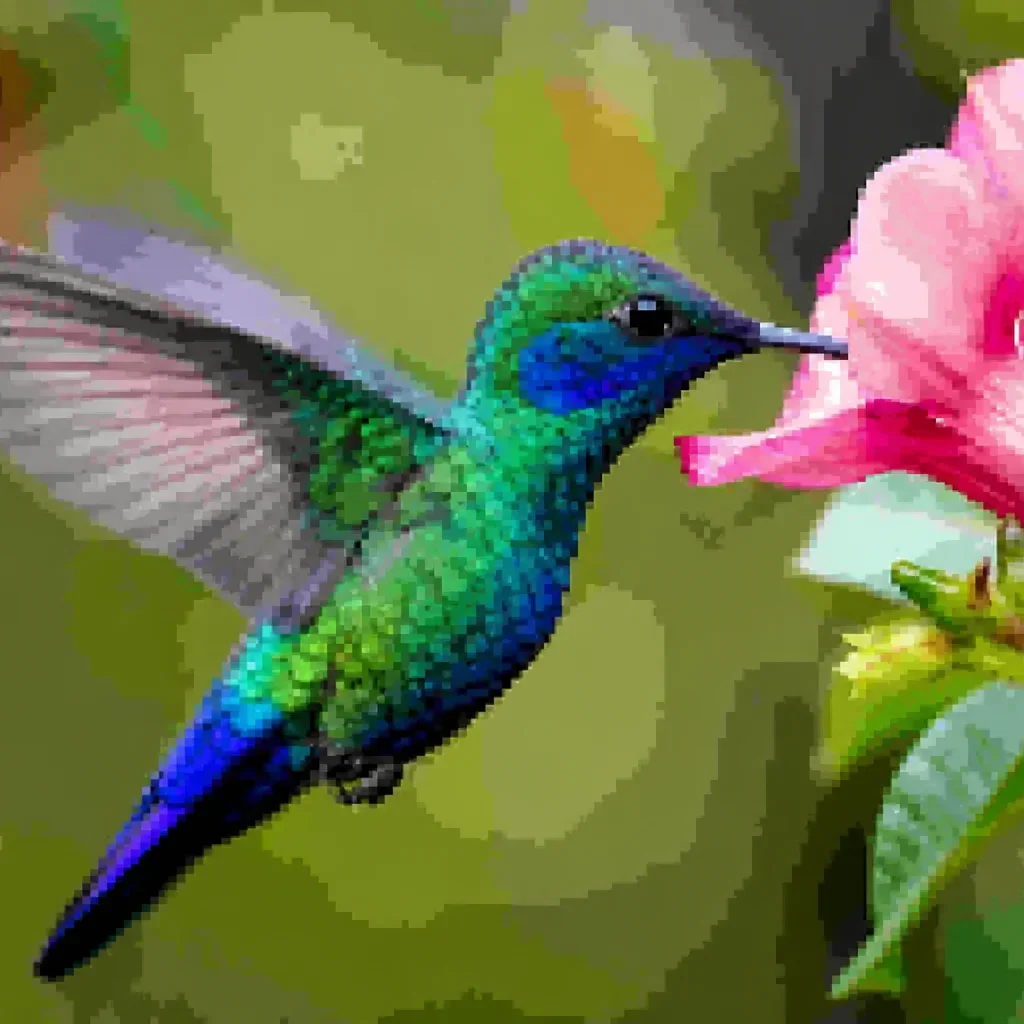
This example shows how AI can depixelate a low-resolution photo in one click. The original image was blocky and blurry — after the fix pixelated image process, clarity is restored, edges are smooth, and fine detail is recovered. This is a typical result: clean enough for printing, sharing, or archiving. Use our free online tool to get the same quality on your own photos.


From Old Digital Cameras & Phones — Fix Pixelated Photos
This result shows what happens when you take an old digital camera photo — compressed, blocky, and low-resolution — and run it through the AI depixelator. Faces become clearer, textures reappear, and the pixelation disappears. Whether the photo came from a flip phone, an old point-and-shoot, or a compressed messaging app download, you can fix pixelated image quality from any source. Try it on your own old photos and see the fix pixelated image difference.
Remove Compression Artifacts & Blocky Textures
JPEG compression artifacts and blocky textures are among the most common reasons people search for how to fix pixelated image quality. This example shows how the AI handles compression damage — smoothing blocky textures, removing artifacts, and restoring natural detail. When social media or messaging apps crush your photo quality, our online tool brings it back in one pass.

For Printing, Sharing & Archiving
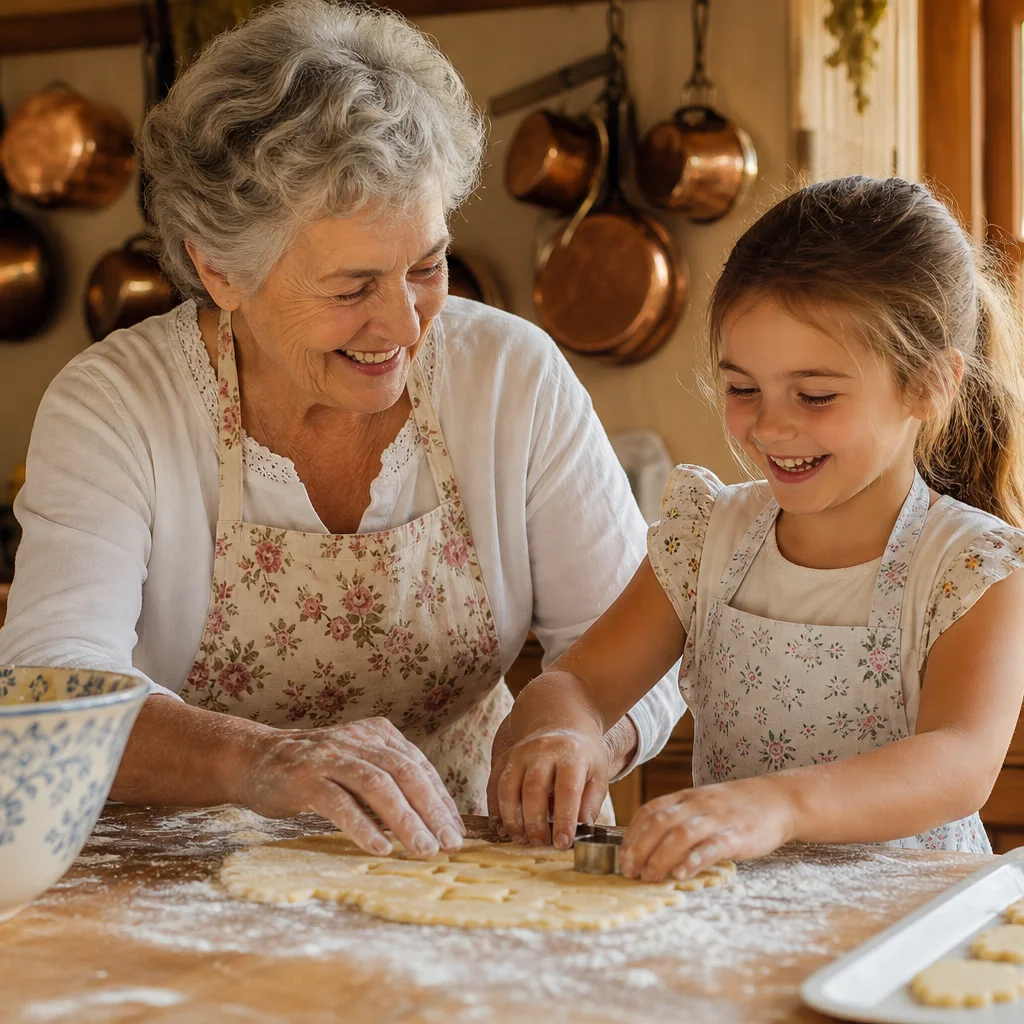
When you need to fix pixelated image quality before printing, sharing, or archiving, the result matters. This example shows how a barely-usable low-resolution file becomes print-ready after processing with the fix pixelated image workflow. Whether you need a clean version for a photo book, a framed print, or a family archive, the AI delivers sharp, high-resolution output suitable for any format or size. Fix pixelated image quality now and get a result you can print with confidence.
What Does It Mean to Fix a Pixelated Image?
When you use AI to fix pixelated image quality, the tool addresses all the common issues that make a photo look low-resolution: jagged edges, blocky textures, compression artifacts, and blurry detail. This section explains what the workflow repairs in every photo.
What It Means to Fix a Pixelated Image
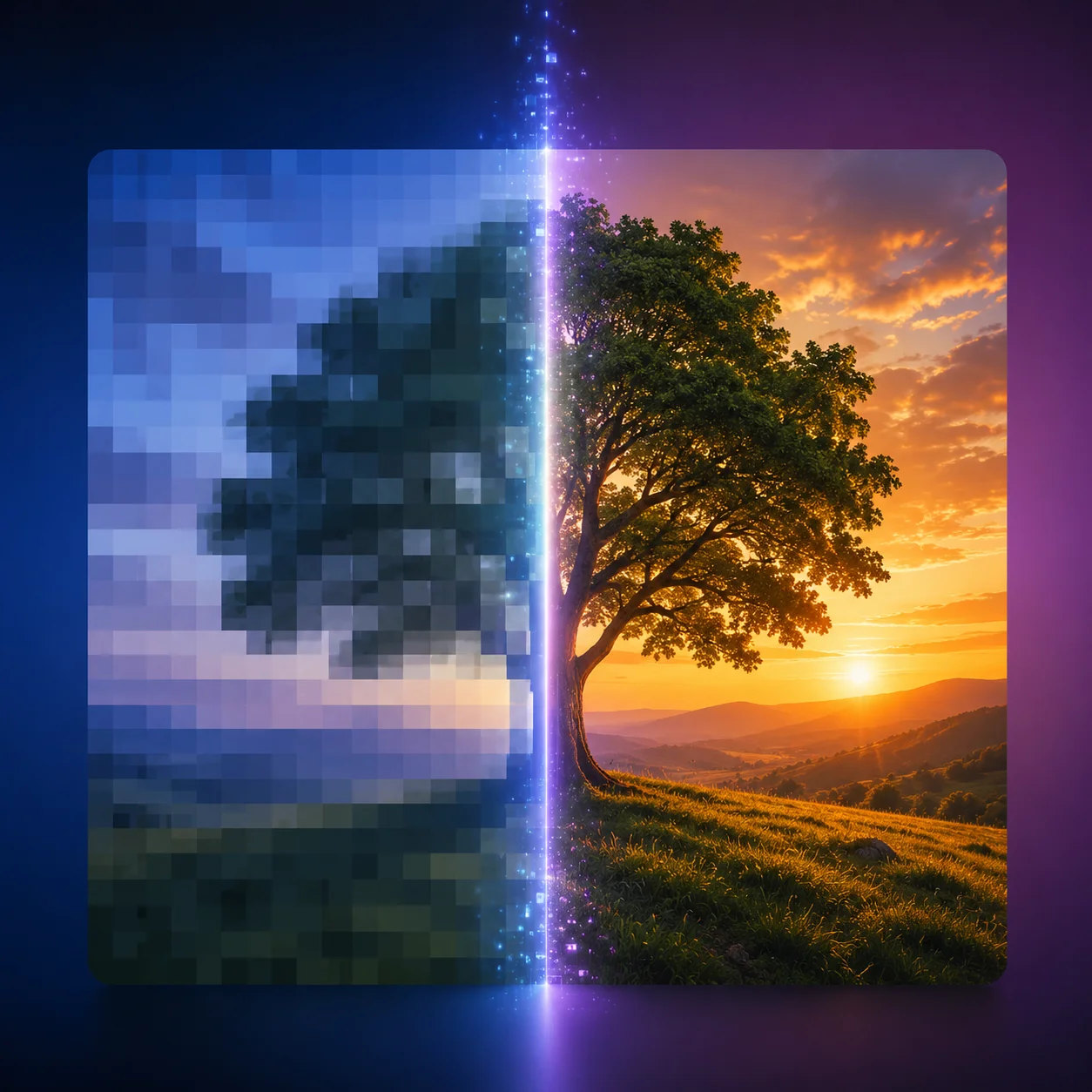
To fix pixelated image quality means using AI to reconstruct missing detail in a low-resolution or digitally degraded photo. The AI smooths jagged edges, repairs blocky pixel grids, and reduces compression artifacts — also called depixelating or unpixelating — so the result looks cleaner, sharper, and ready for any purpose. The entire process runs in your browser with no software to install.
Jagged Edges, Blocky Textures & Pixelation — All Repaired
When you fix pixelated image problems, the AI addresses multiple issues at once: jagged edges from low-resolution scaling, blocky textures from heavy JPEG compression, compression artifacts from repeated saving or social media uploads, and blurry detail that ruins print quality. Instead of manually editing each issue in Photoshop, one AI pass handles all of these fix pixelated image problems automatically — saving hours and producing a more consistent outcome.
From Any Source — Camera, Phone, App, or Scan
You can fix pixelated image files from any source — an older digital camera JPEG, a smartphone photo compressed by a messaging app, a social media download, a screenshot, or a low-resolution scan. Any picture that looked fine on a small screen but falls apart when you zoom in or try to print it can be improved. The fix pixelated image online tool works on JPEG, PNG, and WebP files up to 30MB, from any device or platform — just upload and fix pixelated image quality in seconds.
Natural Results — Keep Faces & Details Real
A common concern about AI enhancement is that faces end up looking over-smoothed or artificial. Our fix pixelated image depixelation workflow is designed to keep skin texture, clothing folds, hair strands, and background detail looking natural — sharper and cleaner, but still recognizably the same photo. Every fix pixelated image result should look like the original was always high-resolution, not like an AI rebuild.
Why Use AI to Fix Pixelated Image Quality?
Why use AI to fix pixelated image quality instead of manual Photoshop editing? The AI approach is faster, easier, and produces more consistent results — especially if you are not a professional photo editor. This section explains why the fix pixelated image AI method is the smartest choice.
How to Fix a Pixelated Image in 4 Steps — No Software Needed
You can fix pixelated image quality online in 4 simple steps — no Photoshop, no software install, and no editing skills required. Upload a low-resolution photo, preview the result, and download a sharp version in seconds. The fix pixelated image workflow is designed to be fast and accessible to everyone.
Upload Your Pixelated or Low-Resolution Image
Start with the pixelated, low-resolution, or digitally degraded photo you want to repair. Upload a JPEG, PNG, or WebP file up to 30MB. The fix pixelated image tool accepts images from any device — phone, tablet, or desktop. For the best fix pixelated image results, use a file that still retains some visible detail so the AI has enough information to work with.
AI Analyzes & Repairs Pixelation Automatically
The AI scans your photo for the specific issues that make it look pixelated: jagged edges, blocky textures, compression artifacts, low resolution, and blurry areas. It identifies where pixelation is most visible and determines how to fix each region — all automatically, no manual adjustments needed.
Preview & Compare — Before vs. After
Use the before-and-after comparison slider to see exactly how the AI improved your photo. Drag the slider back and forth to check faces, textures, edges, and background detail — confirm the fix pixelated image result looks clean and sharp before saving.
Download the High-Resolution Image
Once you are happy with the fix pixelated image result, download the enhanced high-resolution file. Save it to your device, upload to a printing service, add to a family archive, or share online. The sharp, clean version is yours to keep — no watermark on premium accounts.
Everything You Need to Fix Pixelated Image Online — Free AI Tool
Use one free online AI tool to fix pixelated image quality — depixelate low-resolution photos, smooth jagged edges, repair compression artifacts, and restore sharp detail. The entire fix pixelated image workflow runs in your browser with no download or signup required. It is the most comprehensive free fix pixelated image tool available online.
AI Depixelator — Fix Pixelation Instantly
Fix pixelated image quality with AI in seconds. The depixelator automatically repairs jagged edges, blocky textures, compression artifacts, and low-resolution degradation — all while preserving the natural look of faces, textures, and background detail. This is the fastest fix pixelated image workflow available: upload, click, and your result is ready.
Remove Blocky Textures & JPEG Artifacts
Remove pixelation, blocky textures, jagged edges, and JPEG compression artifacts from any low-resolution photo. The AI analyzes surrounding pixels and textures to fill in missing detail seamlessly, producing a natural-looking fix pixelated image result that is never over-processed or artificially smoothed.
Photo Enhancement & Color Restoration
Enhance pixelated black-and-white or low-color photos while preserving natural skin tones, clothing colors, and period-appropriate hues. The depixelator keeps the original character intact — just sharper, cleaner, and with richer color in every fix pixelated image result.
Clarity & Detail Recovery
Restore visible detail in a blurry or degraded photo — hair strands, fabric weave, facial features — without making backgrounds or skin look artificial. Every output is balanced: sharp where detail matters, natural everywhere else.
Free to Try — Preview Before You Download
Try the tool completely free — upload your photo, preview the depixelated result with the before-and-after slider, and see the improvement before committing. No account, credit card, or signup is required to fix pixelated image quality and check the output.
Works on Desktop, Tablet & Mobile
Run the depixelator from your phone, tablet, or desktop browser. The online tool works on iOS, Android, Windows, and Mac — no app download or software installation needed, just a modern browser and an internet connection.
FAQ — Frequently Asked Questions About Fixing Pixelated Images
Common questions about our free fix pixelated image online tool — how to fix pixelated image quality, what the AI repairs, and what to expect from your fix pixelated image results.
Ready to Fix Your Pixelated Image? Try Free Now
Upload any pixelated or low-resolution photo and get a clean, sharp result in seconds. Our free AI depixelator smooths jagged edges, repairs compression artifacts, and restores detail — no Photoshop, no software, no signup required.